Offline & Sync
No signal is normal. The app is built for it.
How it works
Everything you log saves to your phone first, instantly, whether you have signal or not. When you're back in coverage, the app quietly sends the changes to your account in the background. You don't have to do anything, and you never wait for a spinner to log a stop.
Knowing where you stand
A slim banner appears at the top of the screen only when something is worth knowing: red for offline, amber while changes are waiting to send, orange if something needs your attention. No banner means all is well.
The Connection & Sync card in Settings has the detail: whether you're online, when the app last reached the server, when the last sync finished, and how many items are queued.
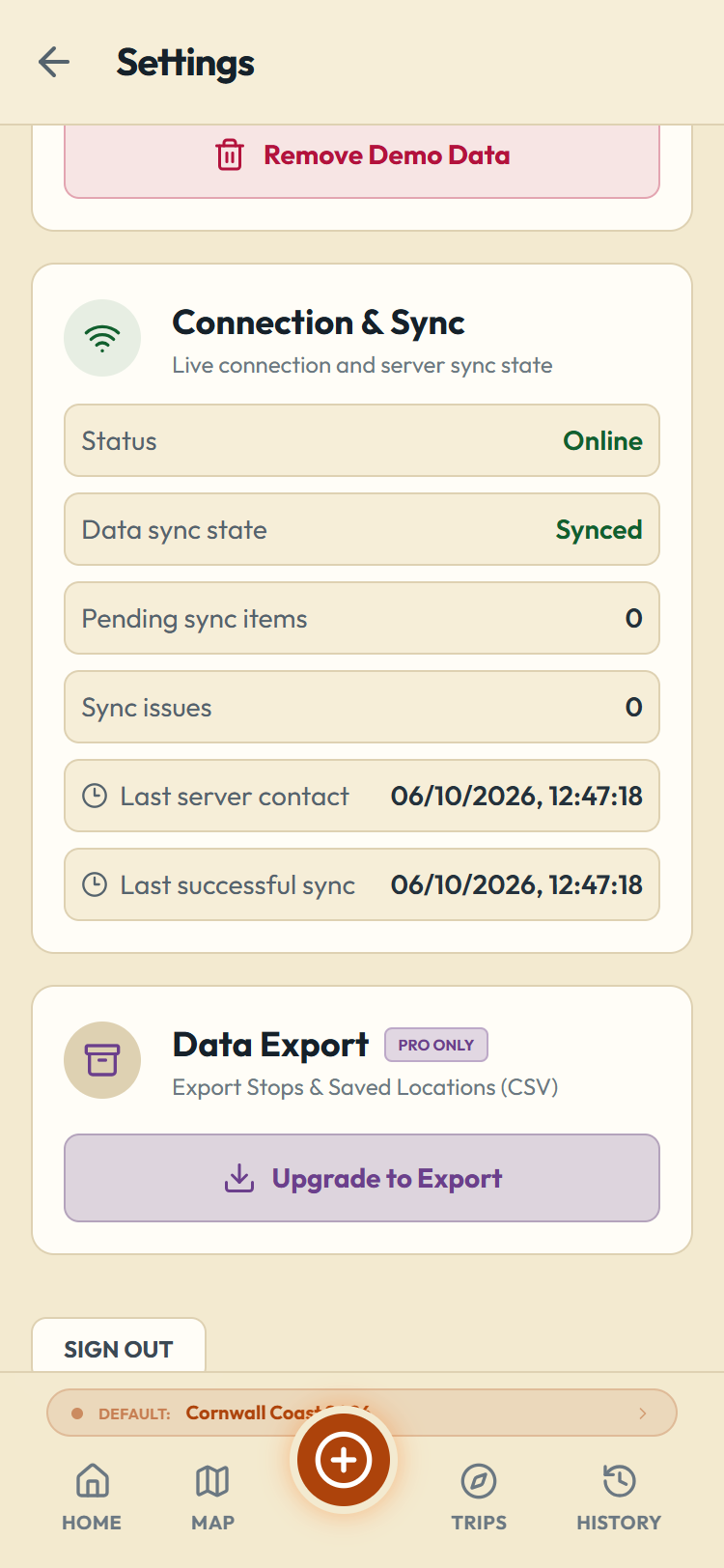
If an item can't sync, it appears in a Sync Issues card in Settings with a plain explanation, a link to open the entry, and Retry and Dismiss buttons. Issues are rare; the usual fix is opening the entry and correcting what it points at.
More than one phone, and a new phone
Your logbook lives in your account, not on one handset, and that is not a Pro feature: free accounts sync too. Sign in on a second device, a partner's phone or a tablet, and the same trips and stops are there. Log from either one and it catches up as soon as it has signal.
Replacing a phone works the same way. Sign in on the new one and your data comes down from your account. On a phone restored from a backup of your old one, the app can often sign you back in automatically. Your trusted-device list and sign-in codes (see Settings & Your Account) cover the rest.